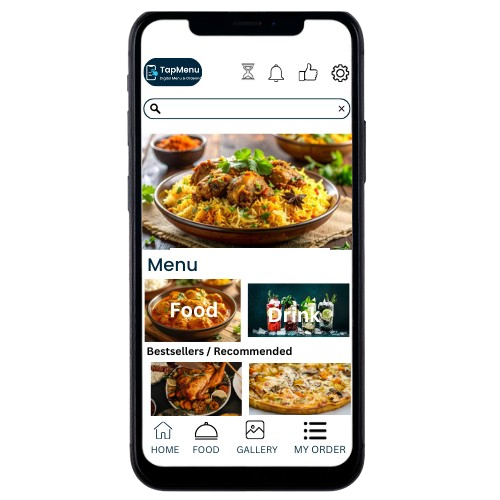
How It Works
Three simple steps to set up your QR menu for restaurants
Place One QR Code
Place a single QR code in your restaurant. No multiple QRs needed.
Customer Orders from Table
Customer scans QR code, selects table number, and places order from their phone using our restaurant table ordering system.
Manage Orders & Sales
Receive live orders and track daily and monthly sales analytics from your restaurant order management system dashboard.
Features
Complete digital menu and restaurant ordering system features
One QR Code per Restaurant
Simple setup, no table-wise QR codes
Table-Based Ordering
Restaurant table ordering system where customers select table number and order easily
Menu & Stock Management
Add, edit, enable or disable items anytime
Live Orders Dashboard
Receive and manage orders in real time
Sales Analytics
Restaurant sales analytics: view today's sales, monthly sales, top dishes, and peak time
No App Needed
Works on any smartphone browser
Why TapMenu
Built for small restaurants who want simple, reliable solutions
Made for Small Restaurants
Simple setup, no complicated system
One QR, No Confusion
No multiple QR codes or table mapping issues
No App, No Training
Customers order from browser, owners manage easily
Real Sales Insights
Know what sells most and when your restaurant is busy
Ready to Simplify Your Restaurant Orders?
Set up TapMenu in minutes and start taking orders with just one QR code.